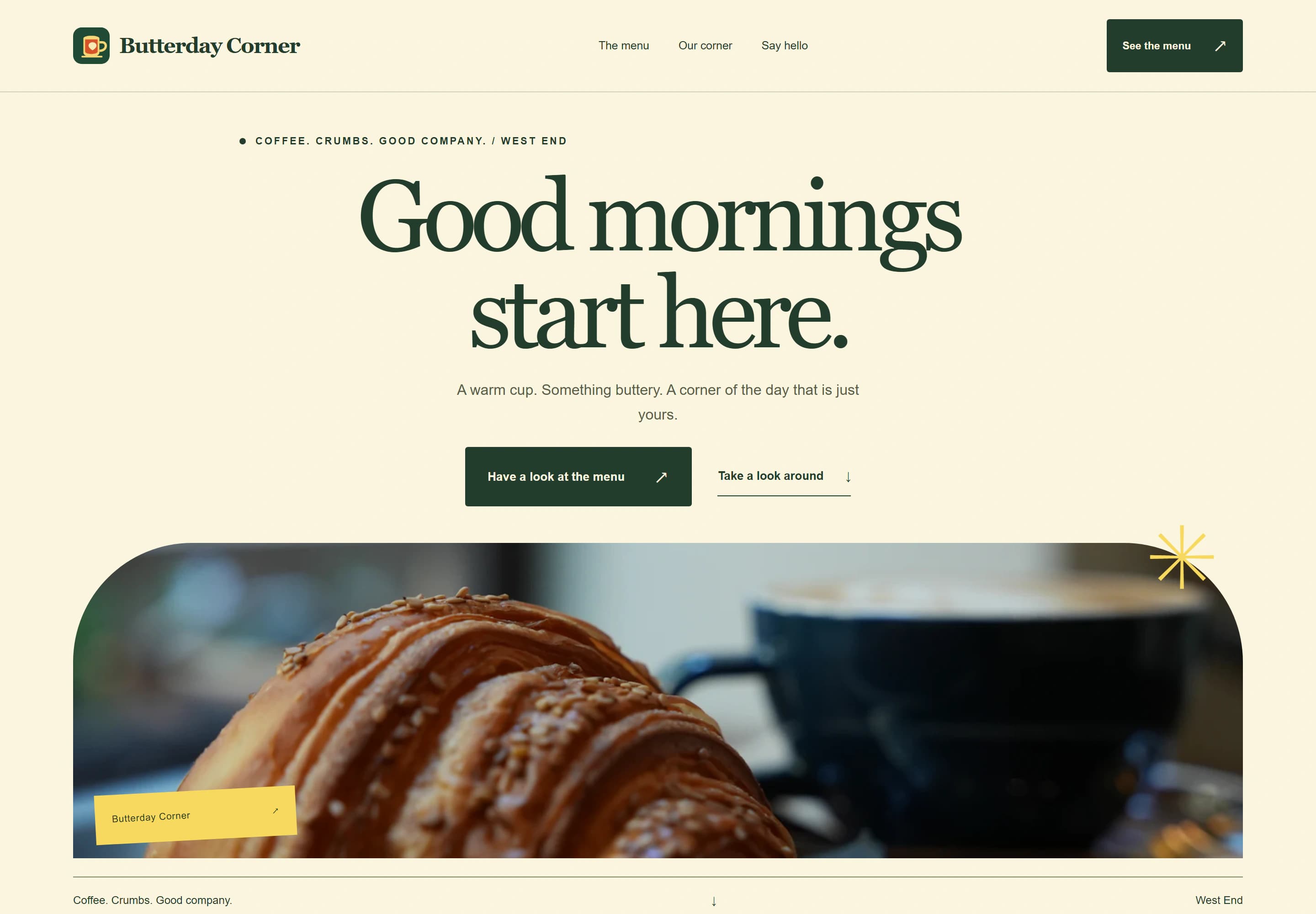
Café website design is refreshingly simple, because people want the same few things. They're usually on a phone, often nearby, and deciding where to go in the next half hour. Can I see the menu? Are you open? How do I get there? Answer those fast and the photos and story can do the rest.
Café website design: what people look for
Put these near the top of your homepage, in this order:
- Opening hours today, and the full week below.
- The menu, or a clear link to it.
- Where you are, with a map link and a line on parking or public transport.
Your story, the coffee you use and the people behind the counter come next. They matter, but nobody should have to scroll past them to find out whether you're open.
A menu people can read on a phone
Photos of a chalkboard and PDF menus are hard work on a small screen. A text menu on the page is easier to read, faster to load and simple to update. It's also something search engines can read, so someone searching for a dish you serve has a better chance of finding you.
- Group the menu the way you serve it: coffee and drinks, breakfast, lunch, sweets.
- Keep prices next to each item.
- Use a short, consistent key for dietary notes, such as V, VG and GF, and explain it once.
- Update it when it changes. An out-of-date menu leads to disappointed customers at the counter.
If your specials change weekly, a simple "this week" section is easier than redoing the whole menu. On my Active and Grow care plans, small menu updates come out of the monthly change time.
Hours, holidays and surprises
Few things annoy a customer more than walking up to a closed door the website said was open. Keep your website and your Google Business Profile in step. Google lets you set special hours (opens in a new tab) for public holidays and closures in advance, so the profile doesn't say you're open when you're not. If you close for a week over the holidays, say so on the homepage too.
Surcharges and pricing
If you charge a weekend or public holiday surcharge, the ACCC's price display guidance (opens in a new tab) says restaurants and cafés must include the words "A surcharge of [percentage] applies on [day or days]" on the menu, at least as prominently as the most prominent price. If your website shows a menu with prices, use the same wording there.
The same guidance says that from 1 October 2026, businesses can no longer charge surcharges on Visa, Mastercard, American Express or eftpos card payments. Weekend and public holiday surcharges are a separate matter. If your old site mentions a card fee, take it out.
Allergens and dietary notes
Be careful with absolute claims. "Gluten-free" on a menu tells customers something specific, and a shared kitchen can make that hard to back up. A plain line such as "Please tell us about allergies when you order" is honest and helpful. If you have specific allergen information, keep it accurate and up to date, or leave it to staff.
Photos
Real photos of your café do more than stock images of someone else's coffee. Food in natural light, the counter, the room on a busy morning, the view from your favourite table. If you add them to your Google Business Profile too, Google's photo guidelines (opens in a new tab) ask for photos that are in focus and well lit, without heavy filters.
Catering, functions and wholesale
If you cater for offices, host small functions or sell your baking wholesale, give it its own section and its own enquiry form. Ask for the date, number of people, budget and any dietary needs. Those enquiries are usually worth more than a single coffee, so make them easy.
Your menu on Google
Google lets cafés add a menu link (opens in a new tab) to their Business Profile, and links for ordering or reservations if you use those services. Point the menu link at the menu on your website, so there's only one menu to keep up to date. My Google Business Profile guide covers the rest of the setup.
See the concept
Butterday Corner is a concept site I designed for a fictional café. Have a look at the café concept. It puts a sample menu with prices front and centre, then the story, a small mood gallery, common questions and sample opening hours. The café, menu and photos don't belong to a real business.
Which package suits a café
Many cafés only need one well-organised page: hours, menu, location and a little personality. Launch gives you 1 focused page for $999. If you do catering or functions, Local gives you up to 5 pages for $1,999. Care plans start at $79 a month, and the care plans guide explains what's included. AUD. GST is not charged.
Start with the website brief, or run the free website check on your current site.