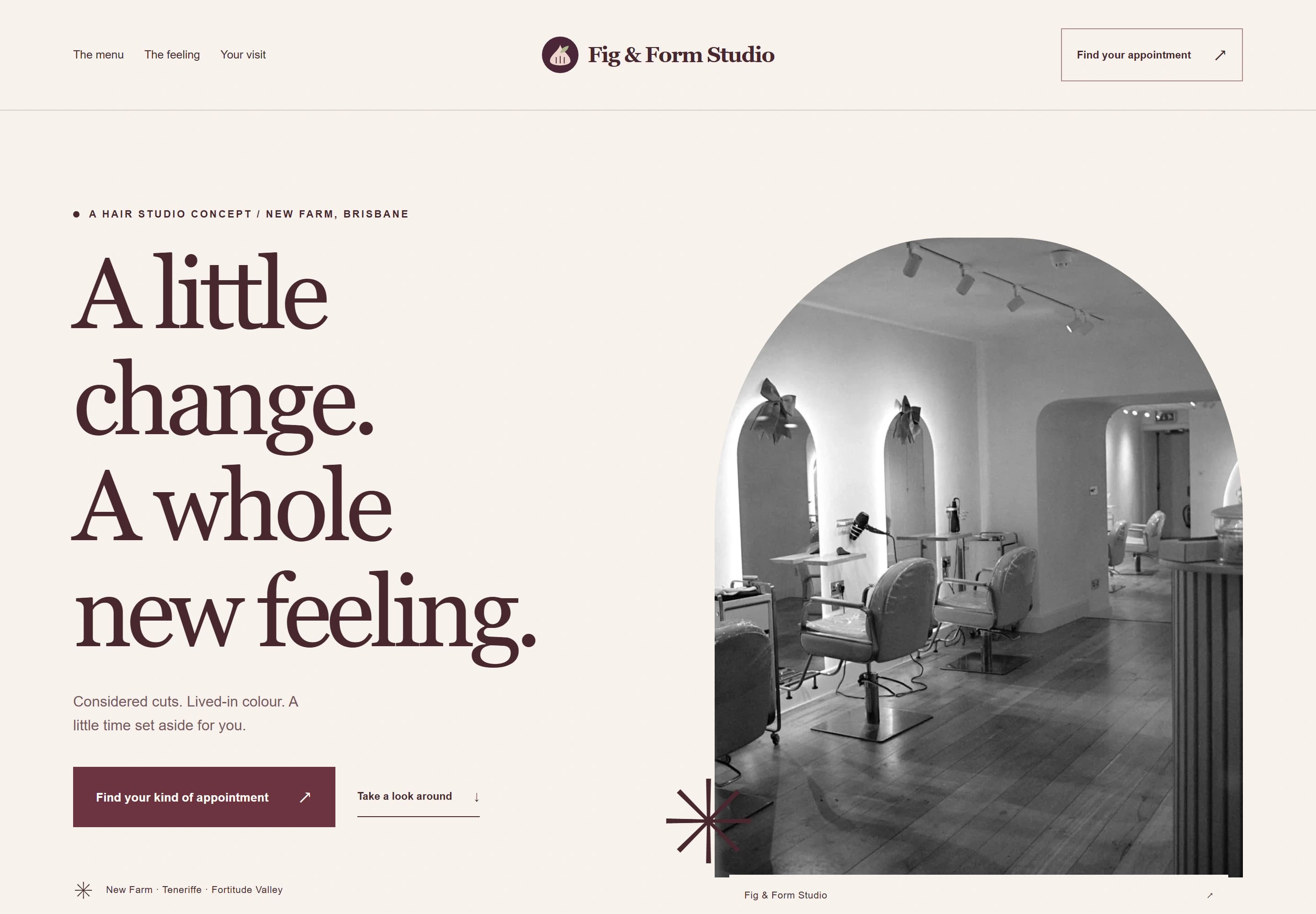
Hair salon website design is a balancing act. New clients want to get a feel for the place and the people before they book. Regulars just want the booking button. A good salon site does both: it looks and reads like your salon, and it never makes anyone hunt for the way to book.
Hair salon website design is part of the experience
People choose a salon on feel as much as price. Is it calm or lively? Modern or classic? Will they feel comfortable walking in? Your website is the first visit. Use photos of your real space, words that sound like you, and colours that match your salon rather than a template.
Keep it light on text. A few well-chosen sentences about your approach, then the useful details.
The service menu
Your service menu does a lot of the work, so make it easy to read on a phone.
- Group services the way clients think: cuts, colour, blonding, treatments, styling and occasions.
- Show starting prices and say what changes them: length, thickness, toner, extra product.
- Show how long each service takes. It helps people plan their day and book the right slot.
- Flag consultations for big changes, colour corrections or anything where you'd rather chat first.
If different stylists have different prices, say so clearly, rather than leaving it as a surprise at the desk.
Booking that doesn't get in the way
Put a book-now button in the header of every page, and again after the menu. Point it at your existing salon booking system, ideally straight to the services list. If your system lets you link to a particular stylist or service, use those links in the right places.
Google lets businesses add booking links (opens in a new tab) to their Business Profile too, so people can book from the search results.
Before someone books, they should be able to find your deposit and cancellation policy. Put it on the menu page and in your booking system, in plain words.
Show the people
Clients often book a stylist rather than a salon. A short profile for each stylist helps: a real photo, what they love doing, any specialties and the days they're in. If someone is the colour person and someone else is the precision-cut person, say so.
Photos of your own work
Your own work beats stock imagery every time. A few tips:
- Photograph in natural light, near a window, against a plain wall.
- Keep the angle and background consistent, so the work is what stands out.
- Ask clients before using photos of them, and keep a record that they agreed.
- Go easy on filters. Clients want to know what their hair will really look like.
If you post the same photos on your Google Business Profile, Google's photo guidelines (opens in a new tab) ask for images that are in focus and well lit, without heavy filters or significant alterations.
Embedded social media feeds can break or slow a page down when the platform changes something. A small, curated gallery on your site, with a link to your Instagram, is more dependable.
Help new clients feel at ease
A short "your first visit" section answers the questions people are too shy to ring about: where to park, whether to arrive with clean or dirty hair, whether children are welcome, how accessible the salon is, and whether you offer quieter appointments. It's a small addition that can make a first visit feel much easier.
Check your pricing wording
If your old website mentions a card surcharge, update it. The ACCC's price display guidance (opens in a new tab) says that from 1 October 2026, businesses can no longer charge surcharges on Visa, Mastercard, American Express or eftpos card payments.
See the concept
Fig & Form Studio is a concept site I designed for a fictional hair salon. Have a look at the salon concept. It shows a service menu with sample starting prices, a calm "visit without the rush" section, a mood gallery and the spot where a real salon's booking system would open. The business, prices and hours are all fictional.
Which package suits a salon
A small salon with one simple menu can start with Launch: 1 focused page for $999. Most salons suit Local, with up to 5 pages for $1,999, including one link to your existing booking system. If you'd like the booking system embedded on the page, Signature includes one booking embed and up to 8 pages for $3,499. AUD. GST is not charged.
Tell me about your salon through the website brief, or check your current site with the free website check.